Device (Tabs)
Desktop
System (OS)
Web
Language (i18n)
English
Español
Description
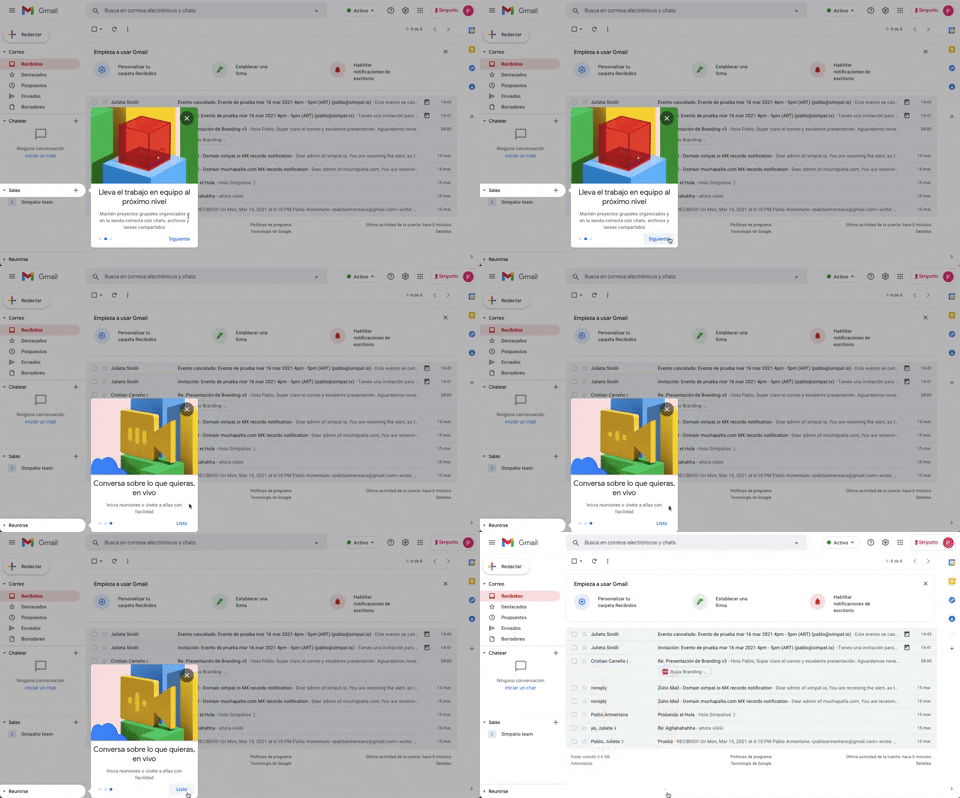
This pattern guides users through multi-step onboarding or feature discovery with a focused, sequential tooltip and a dimmed background.
VotesUp
VotesDown
Pattern ID
157
UX Flows
Onboarding
Decision Making
Awareness
UI Components
Version
2.1.19
Jira

Gmail
Facebook Business
_08.14.29_p._m..png?table=block&id=39b8684a-9d97-4687-b93a-5e6dd48169a9&cache=v2)
_08.14.34_p._m..png?table=block&id=d98f3aae-a3e3-47ed-8856-1ece2c1d8ea4&cache=v2)
_08.14.08_p._m..png?table=block&id=405e56e8-b88c-4ede-af2d-dc338b51f283&cache=v2)